Qadam 1.1
Prayer Rail and Calm view: two ways to see your day
Some days you want to see everything. Some days you only want the next step. Qadam 1.1 gives Today a simple switch so you can choose, and change your mind as often as you like.
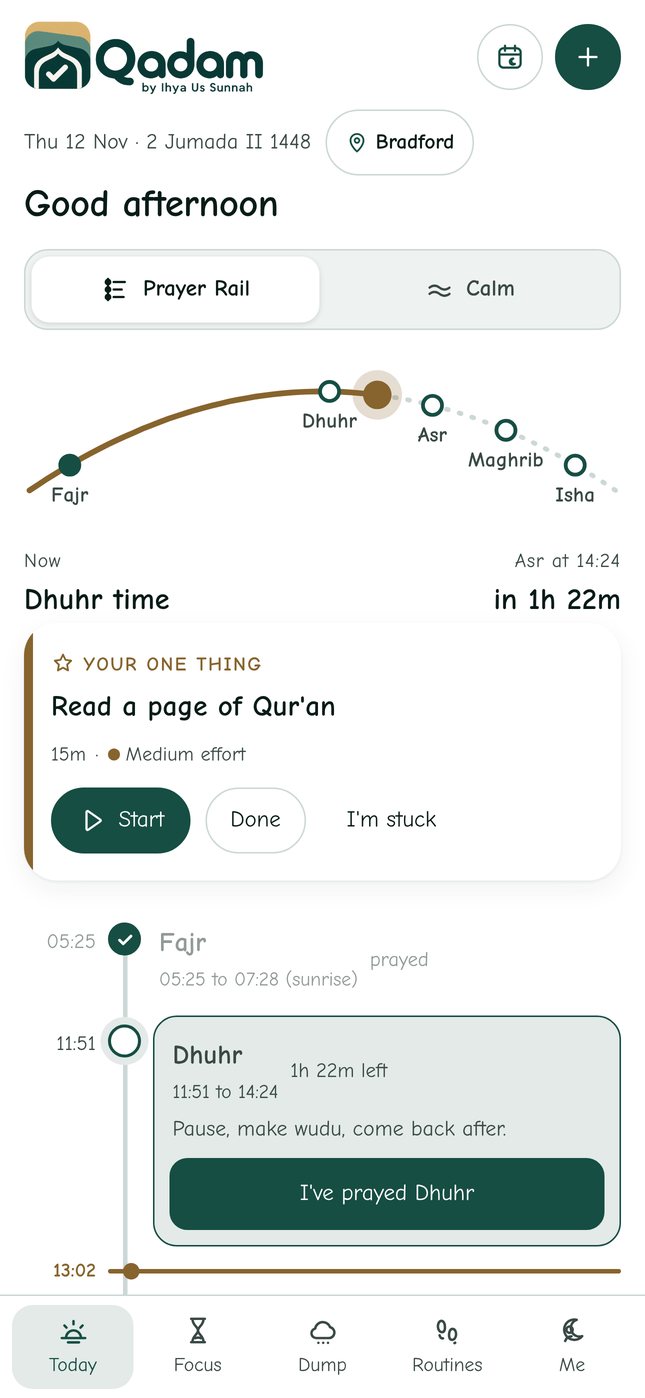
Prayer Rail: the whole day on one line
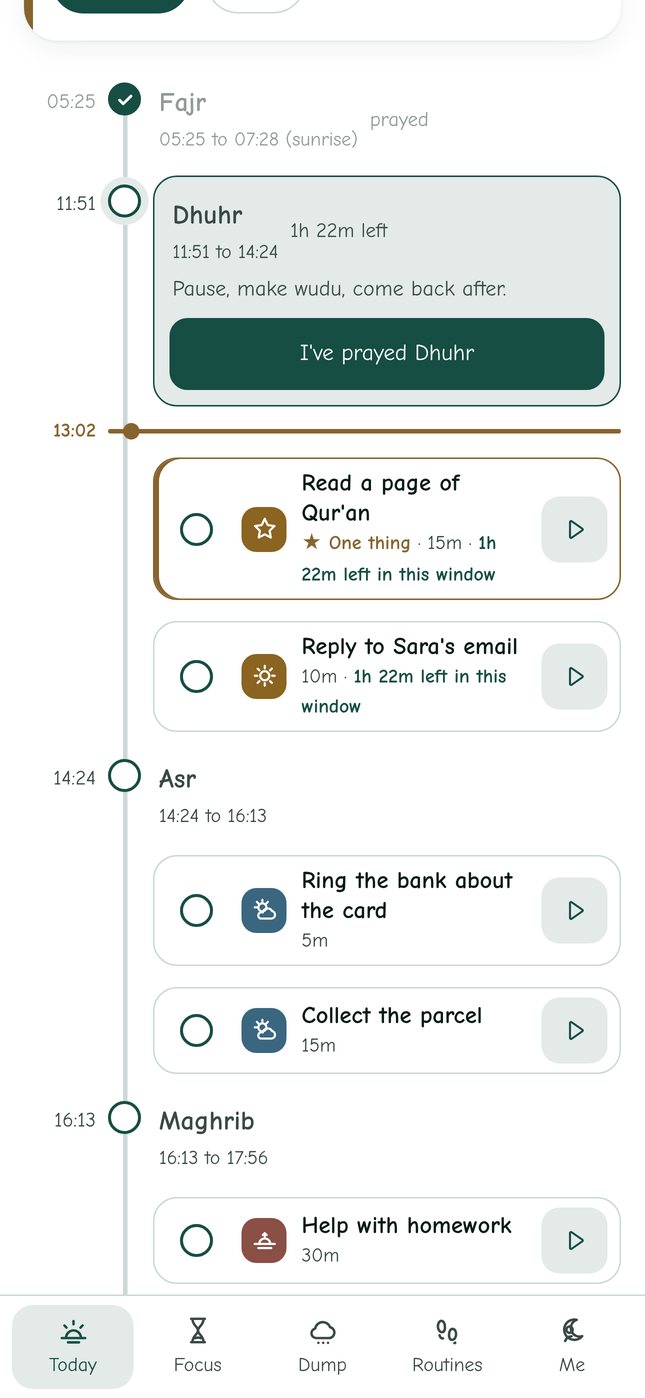
Prayer Rail lays out your day as a single vertical line. Fajr, Dhuhr, Asr, Maghrib and Isha are the stations, and your tasks sit between them in the window where you planned them. Prayers you have recorded fade back with a tick, so your eye moves forward. A gold line marks the time now.
Instead of a list of empty boxes, gaps show as real time: 40 min free before Asr. Tap it to add something there, or leave it as breathing room.
The sun arc
At the top of Prayer Rail, a small arc follows the sun across the day, with the five prayers marked on it. Salah times are set by the sun, so the arc is not decoration: it is a quick way to feel where you are in the day without reading a single number.
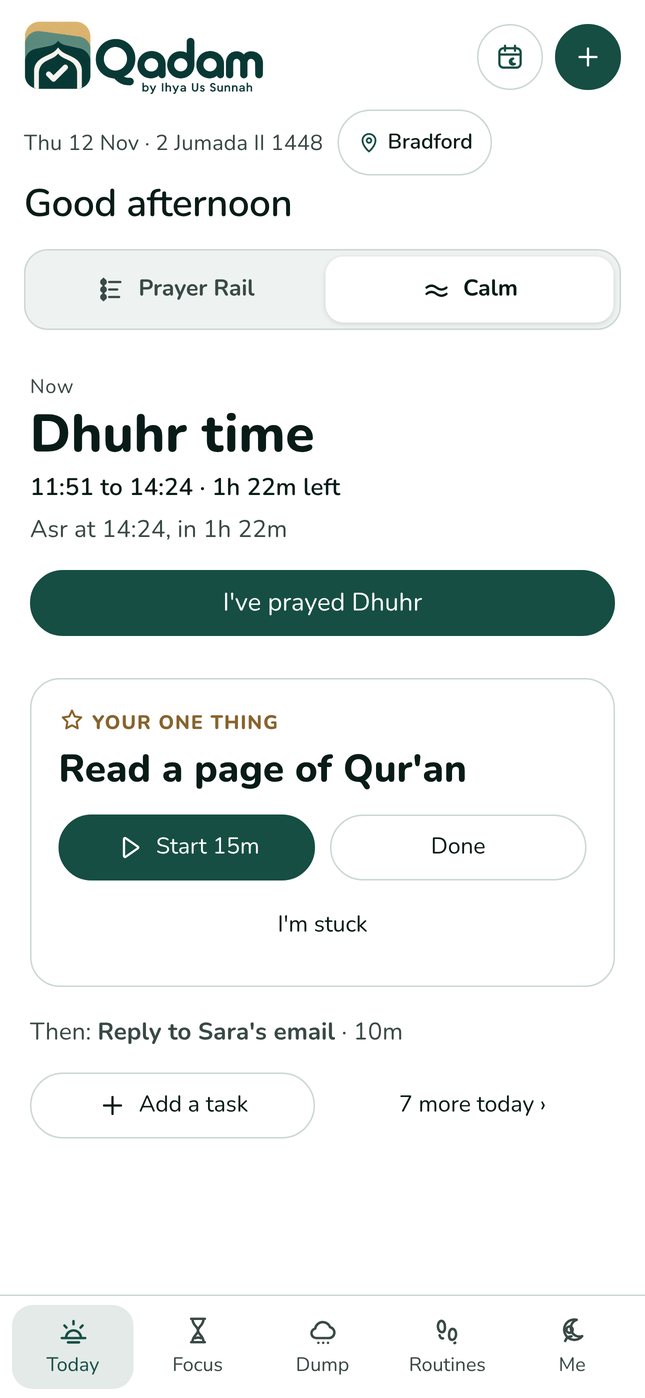
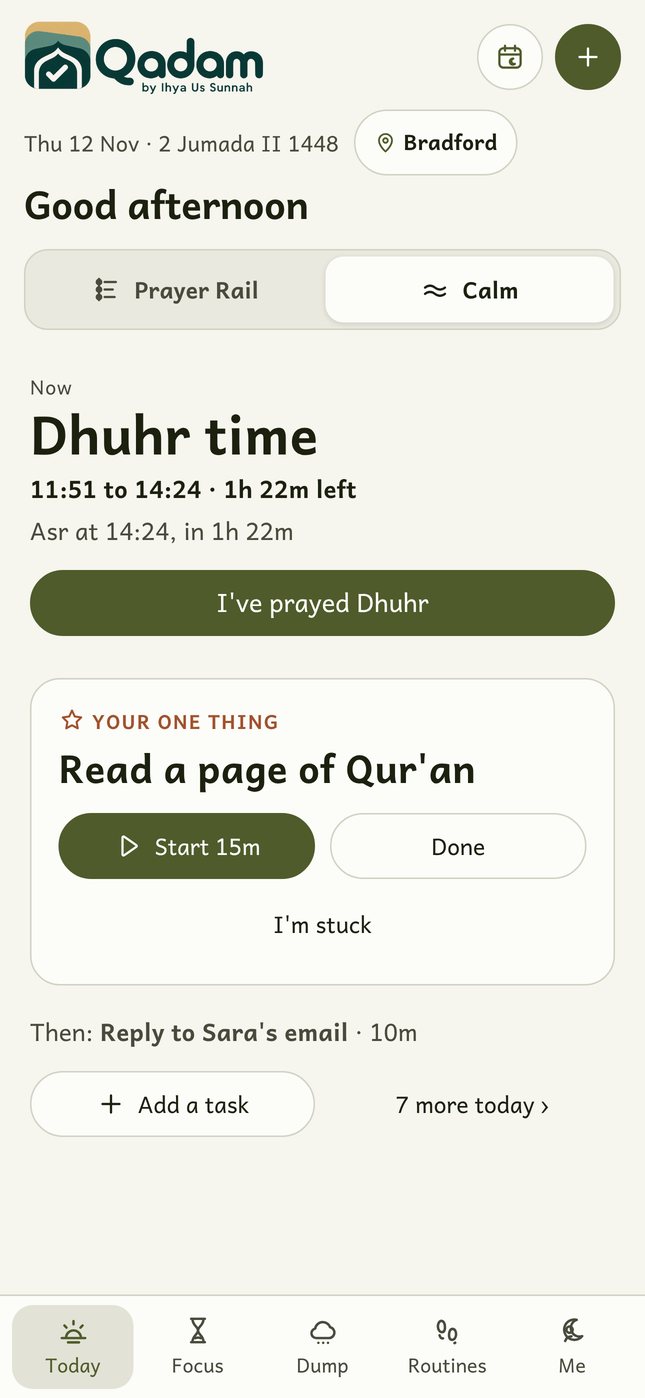
Calm: one prayer, one thing
Calm view shows only what matters right now: the current prayer with a large I've prayed button, your one thing with Start and Done, and what comes next. Everything else is still there, one tap away.
When to use which
Many people plan in Prayer Rail in the morning or the evening before, then switch to Calm during a busy or low energy day. If you used Simple mode before, you will find yourself in Calm view. You can also ask Siri to open Qadam in Calm view.
Try it today.
Qadam 1.1 is live on the web now and on its way to the App Store and Google Play. Your tasks, routines and prayer records carry straight over. Android users can use the web app now; the Android app is coming soon.
Download on the App Store ↗ Use the web app