What is new
What's new in Qadam 1.1, shaped by your feedback
Over the last few weeks we asked people who use Qadam what helps, what gets in the way and what they wish it did. The answers were clear: make Today calmer, make planning feel more like how a Muslim day already works, and make it quicker to get a thought out of your head. Qadam 1.1 is our answer.
What you told us
Several themes came up again and again in user feedback. Today could feel busy, with a lot to read before you reached your own tasks. Some days you want to see everything; on harder days you only want the next step. The calendar did not reflect the prayers the way the rest of Qadam does. And typing every detail of a task, its day, its window and its length, took more effort than it should.
People also asked for more ways to make the app their own, more readable text choices, and a way to use Qadam without opening it at all.
Today, two ways
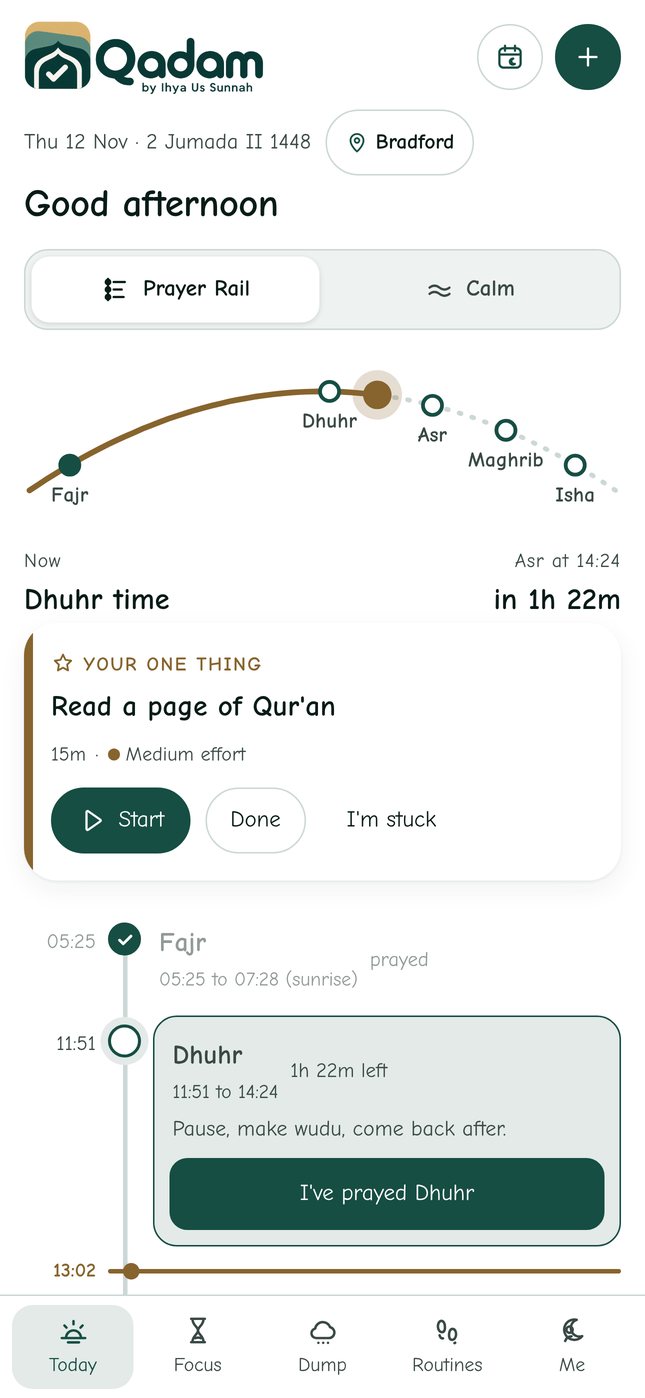
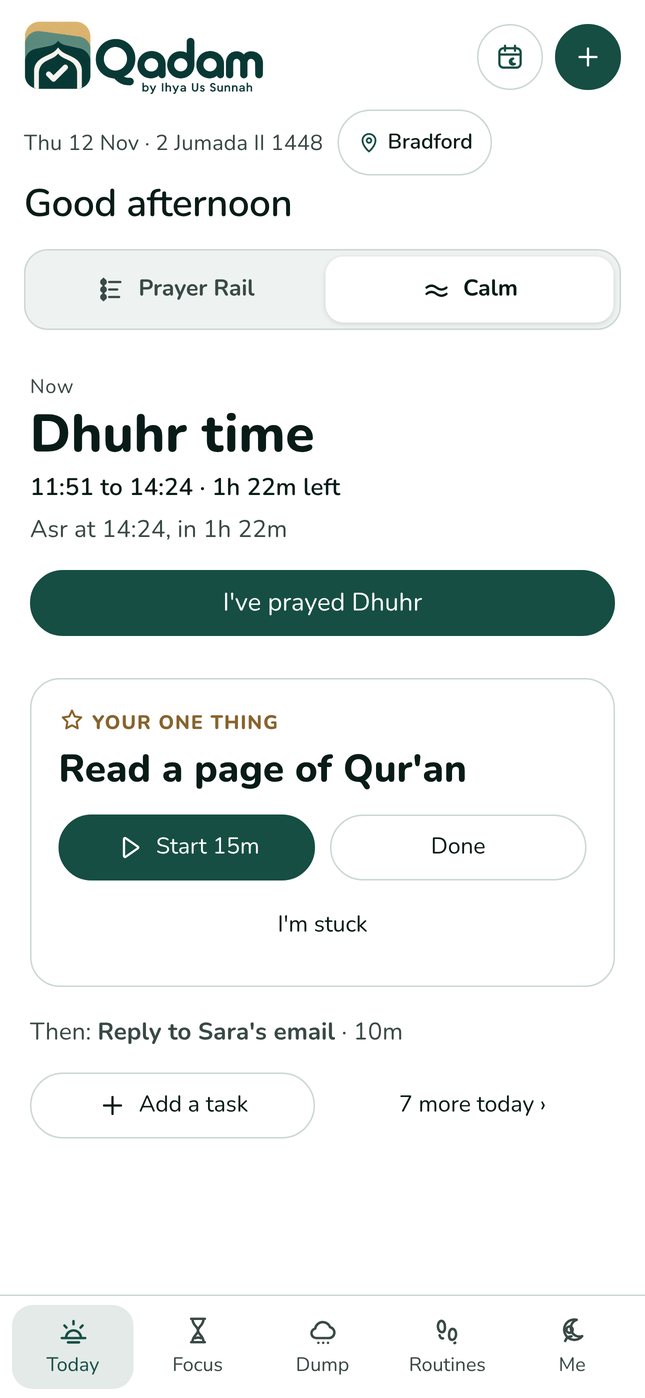
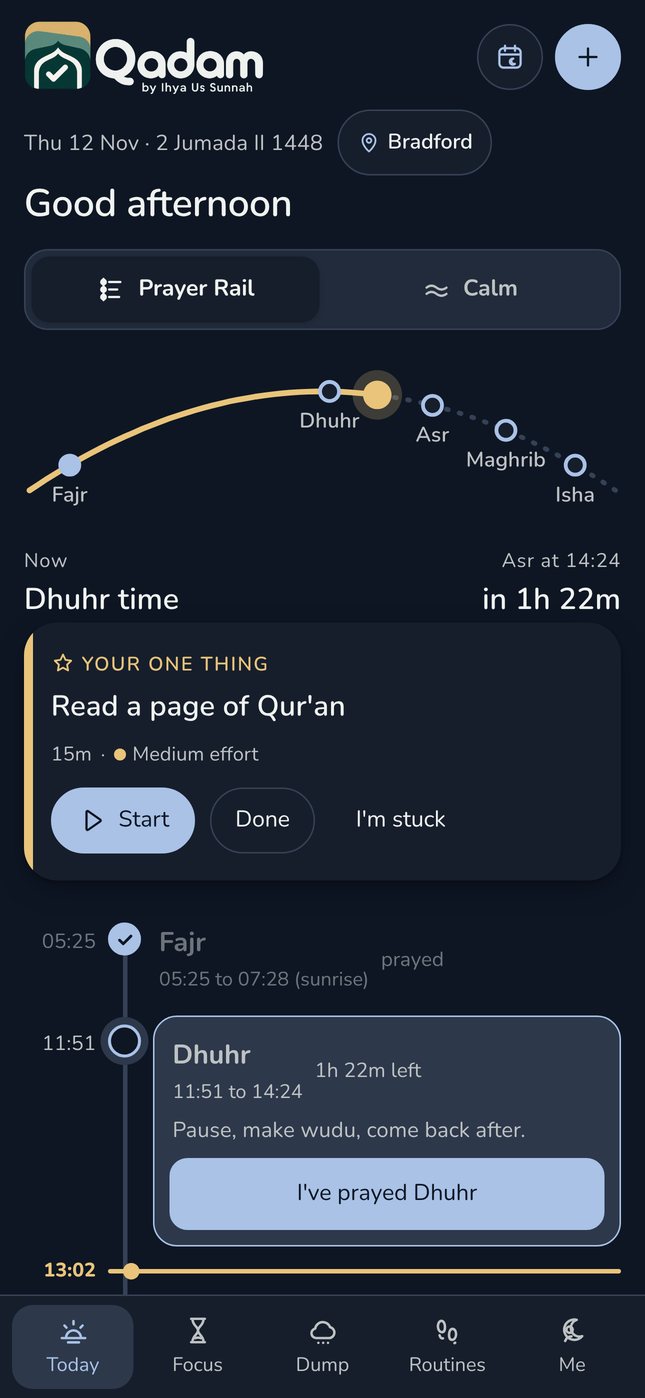
Today now has a switch at the top. Prayer Rail lays your whole day out on one line, with the five prayers as the stations and your tasks sitting between them. A sun arc shows where you are in the day, and a gold line marks the time now. Calm shows just the current prayer, your one thing and the next step. Switch with one tap, whenever you need to.
A week planned by prayer
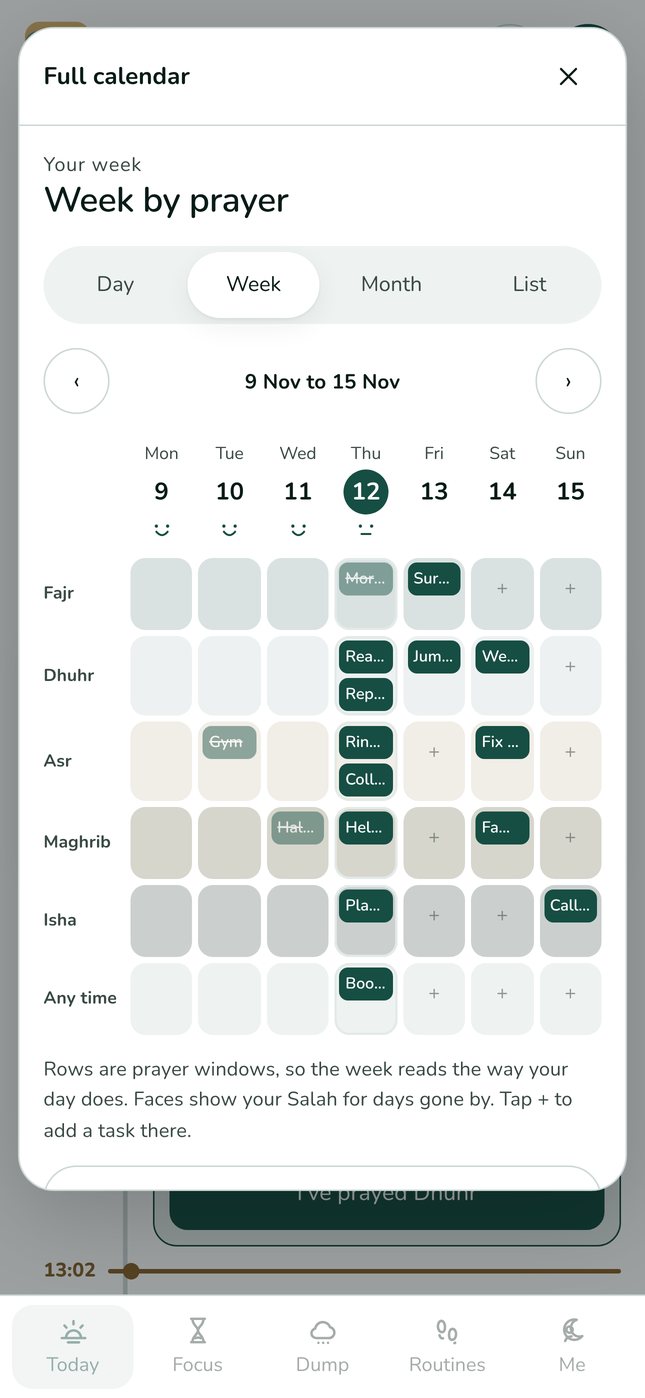
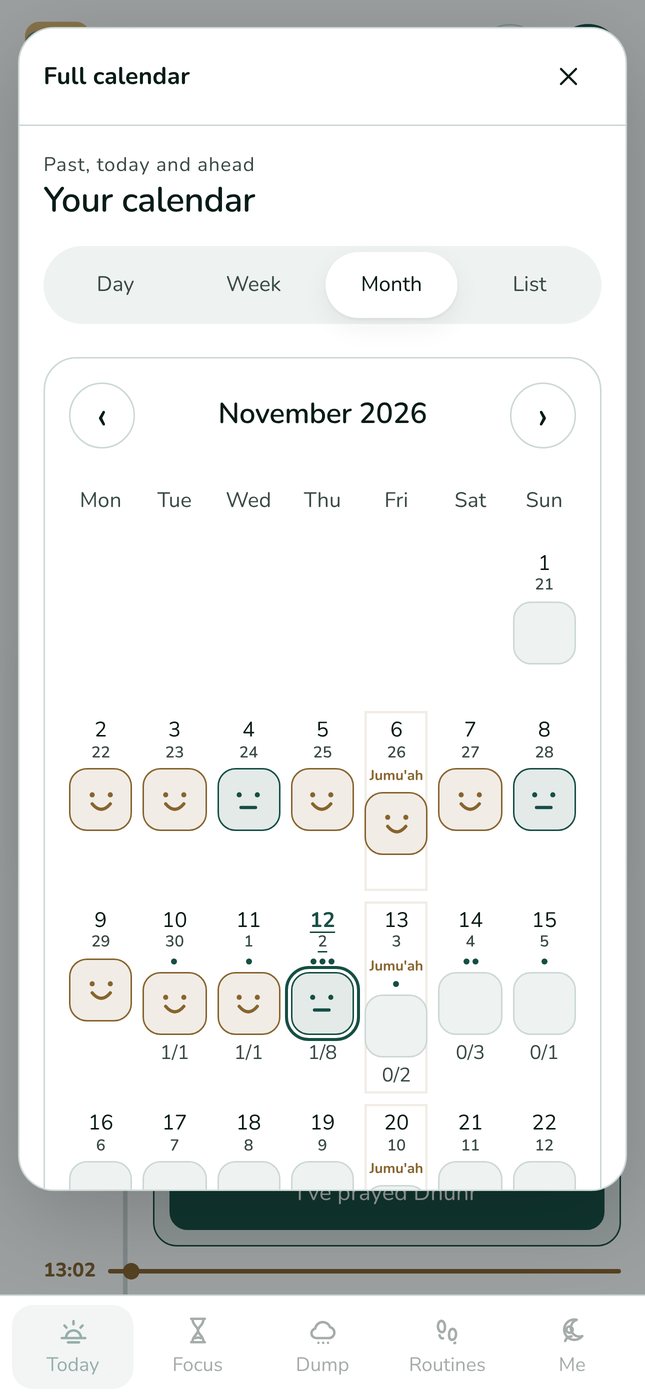
The calendar keeps everything you liked, including the monthly view with its gentle faces for each day's salah. The week view is new: rows are prayer windows and columns are days, so you can see at a glance that Tuesday after Asr is free and Friday after Dhuhr is Jumu'ah.
Prayer times, reminders and widgets
Every prayer on Today now shows when it starts and when it ends, and the current one shows how much time is left. In the app you can turn on reminders when each prayer starts and before it ends: 20 minutes by default, or 10, 15 or 30, for every prayer or one at a time. Tasks with a set time remind you too. New widgets keep the current prayer, when it ends, and your One Thing on your Home Screen and Lock Screen.
A smoother way to add a task
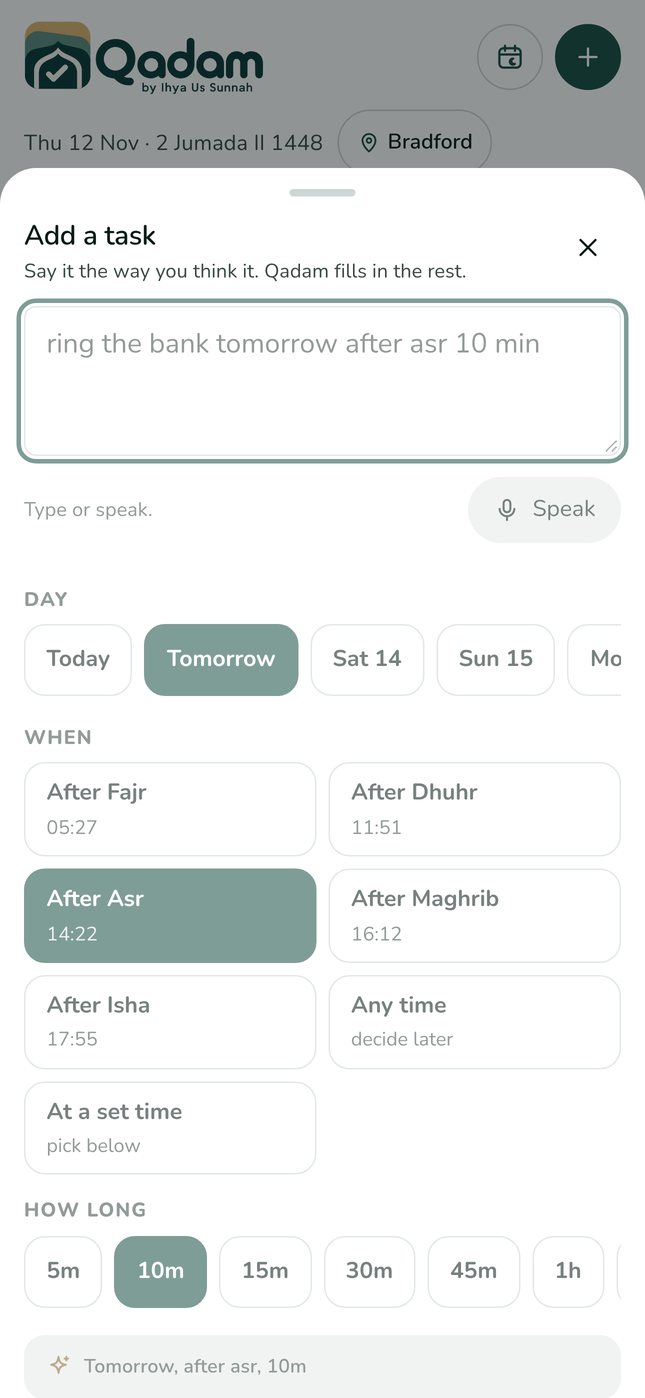
Adding a task is now one simple sheet. Pick the day with one tap. Pick when: the prayer windows still ahead of you today, each with its time, or one of the next few clock times. Pick how long. Or just type or say it, and the right options light up for you.
Say it the way you think it
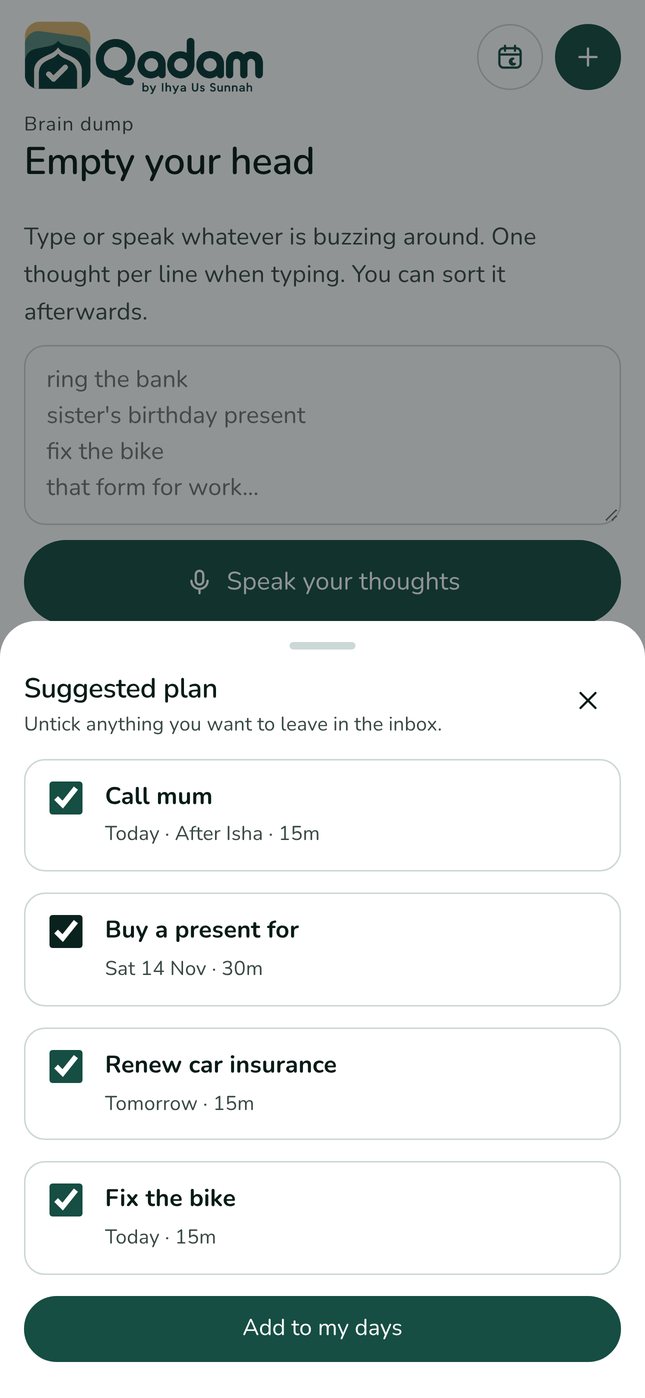
When you add a task, Qadam now understands everyday phrases. Type or say ring the bank tomorrow after Asr, 10 min and it fills in the day, the prayer window and the length for you. In Dump, a new Sort for me button turns a list of loose thoughts into a suggested plan you can accept in one tap. This all happens on your phone, with nothing sent anywhere.
Siri, Shortcuts and your home screen
On iPhone you can now ask Siri to add a task, record a prayer, start a routine, start a focus timer, open Calm view or open your brain dump. Every action also works in the Shortcuts app. On Android, long press the Qadam icon for quick shortcuts. See the phrases.
New icons, colours and fonts
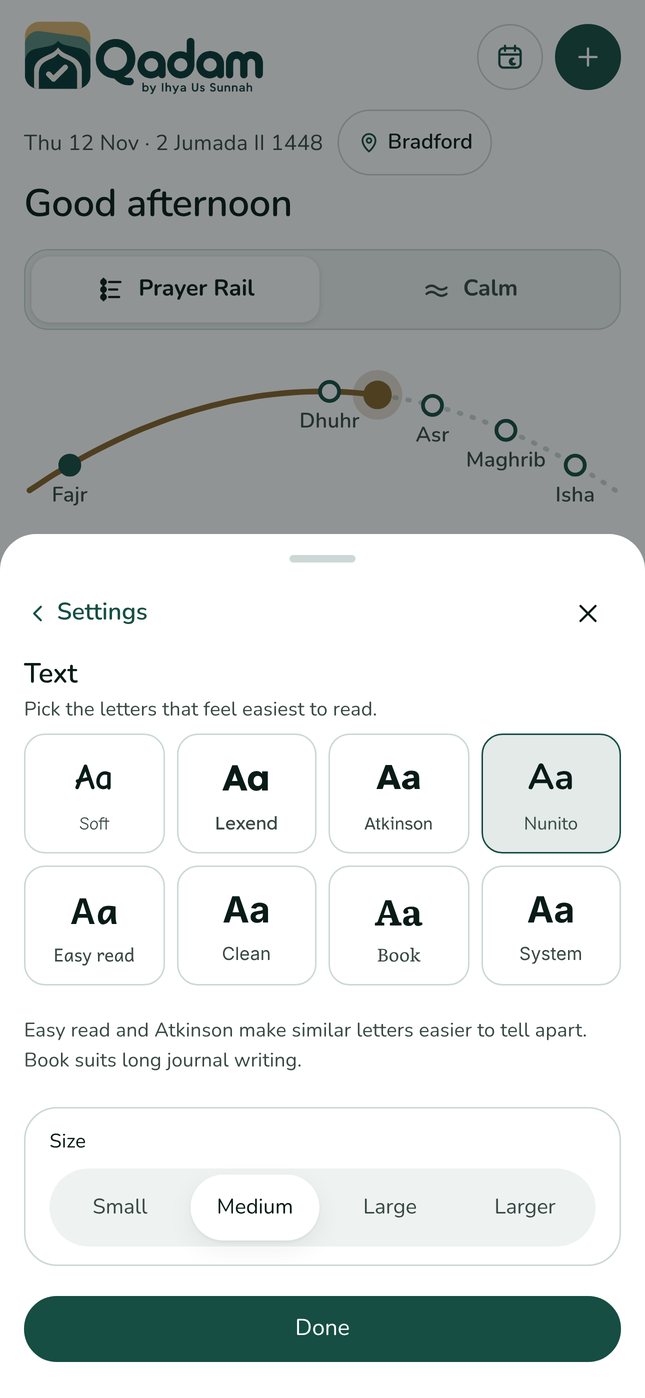
We redrew the icons by hand as one family: a sunrise for Today, an hourglass for Focus, a thought cloud for Dump, footsteps for Routines (qadam means step) and a crescent for Me. There are four new colour palettes, making ten, four new fonts, making eight, including an easy read font, and a full dark mode.
Clearer, calmer, easier to learn
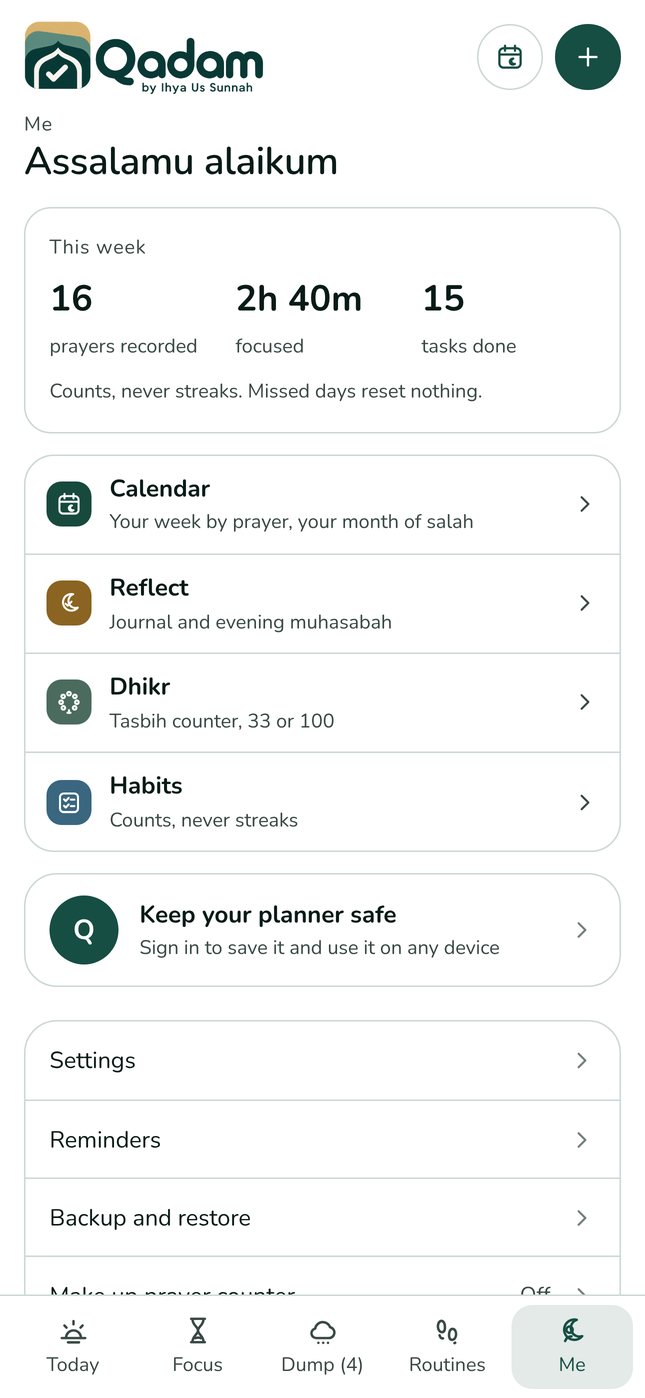
Text is bigger and darker, buttons are easier to tap, and Settings and Feedback now live in Me, alongside Reflect (your journal and evening muhasabah together), Dhikr, Habits and your week. Qadam also offers one gentle tip at a time, only when it helps, and every tip has a Not for me button.
What stays the same
Everything you already rely on is still here: routines, focus, Dump, the Not now list, habits that count without streaks, salah recording, tasbih and reflections. Your existing tasks, routines and prayer records carry straight over. Nothing needs setting up again. Thank you to everyone who shared feedback; please keep it coming.
Try it today.
Qadam 1.1 is live on the web now and on its way to the App Store and Google Play. Your tasks, routines and prayer records carry straight over. Android users can use the web app now; the Android app is coming soon.
Download on the App Store ↗ Use the web app