
Qadam 1.1
Prayer reminders, time left and widgets
Prayer times are the spine of Qadam. Version 1.1 shows each prayer's start and end, reminds you before a window closes, and keeps the current prayer on your Home Screen.
Start and end, at a glance
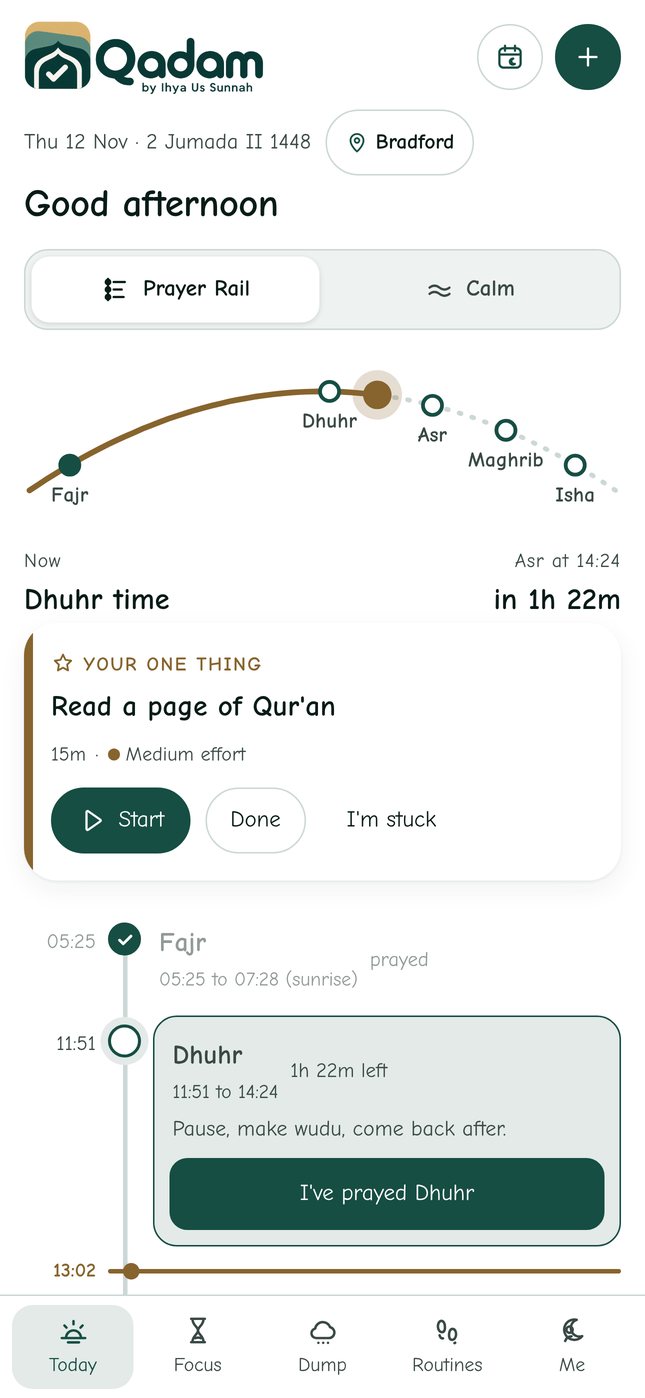
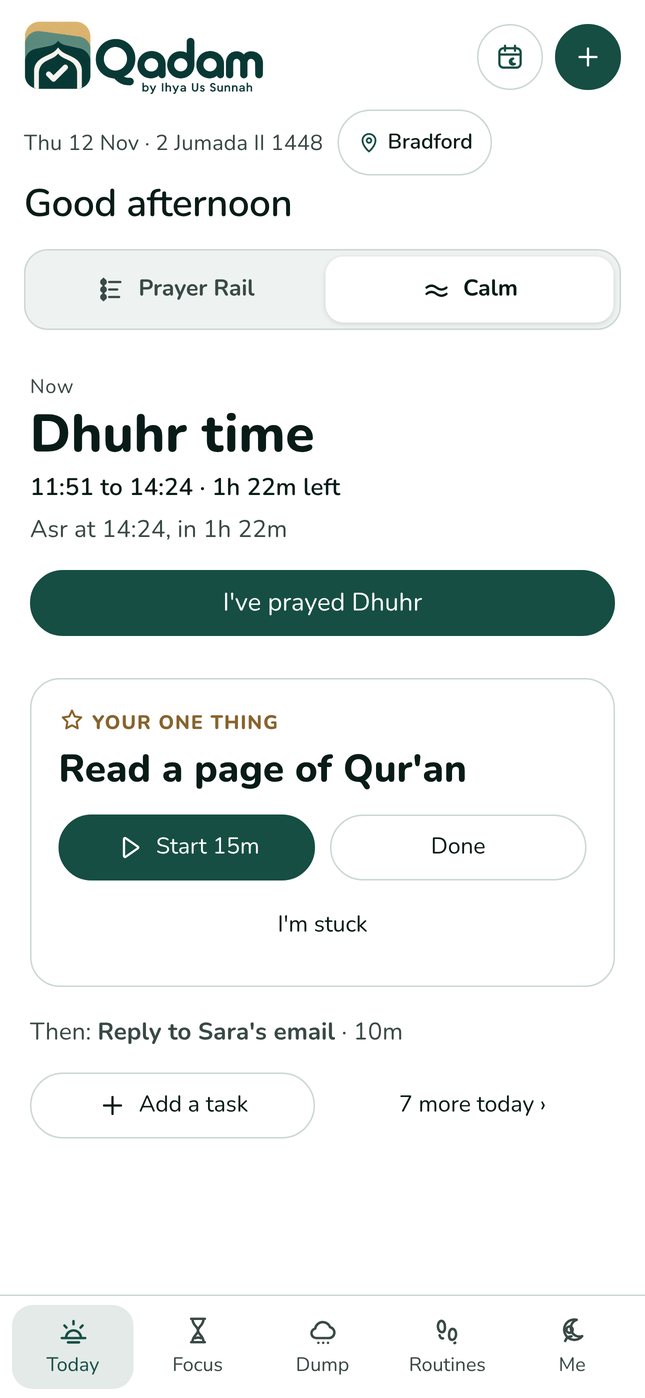
On Today, each prayer in the Prayer Rail shows its window, for example Dhuhr 11:51 to 14:24. Fajr ends at sunrise. The current prayer shows how much time is left, and so do tasks planned in that window. Calm view shows the same line under the prayer's name.
Reminders that fit you
In the Qadam app, open Me, then Notifications. Turn on reminders when each prayer starts, before each prayer ends, and for tasks with a set time. The reminder before a prayer ends is 20 minutes by default. Choose 10, 15, 20 or 30 minutes for every prayer, or open Choose for each prayer to set Fajr, Dhuhr, Asr, Maghrib and Isha separately. Reminders are scheduled on your phone, so they arrive even when Qadam is closed. On the web, keep Qadam open to get reminders.
Widgets
Touch and hold your Home Screen, tap the plus or Edit, search for Qadam, and choose a widget. Prayer now shows the current prayer, when it ends and what comes next, in small, medium and Lock Screen sizes. Today in Qadam shows your prayer window, your One Thing and your next tasks. Open Qadam once after updating so the widgets have your prayer times. On Android, the Qadam prayer widget does the same when the Android app arrives.
Kind by design
Reminders never nag. There are no red badges, no broken streaks and no guilt. If a window passes, Qadam gently offers to move your tasks to now.
Try it today.
Qadam 1.1 is live on the web now and on its way to the App Store and Google Play. Your tasks, routines and prayer records carry straight over. Android users can use the web app now; the Android app is coming soon.
Download on the App Store ↗ Use the web app