
Qadam 1.1
Smart add and Sort for me: say it the way you think it
When a thought arrives, the fastest way to keep it is to say it the way you think it. Qadam 1.1 can now take a sentence like that and turn it into a planned task.
Smart add
Tap the plus button and type, or tap Speak, and say something natural. Qadam looks for a day (today, tomorrow, Friday), a prayer (after Asr, before Maghrib), a clock time (at 5pm) and a length (10 min, 1 hour). As you type, a small Smart add line shows what it understood. Tap Add task and it is done.
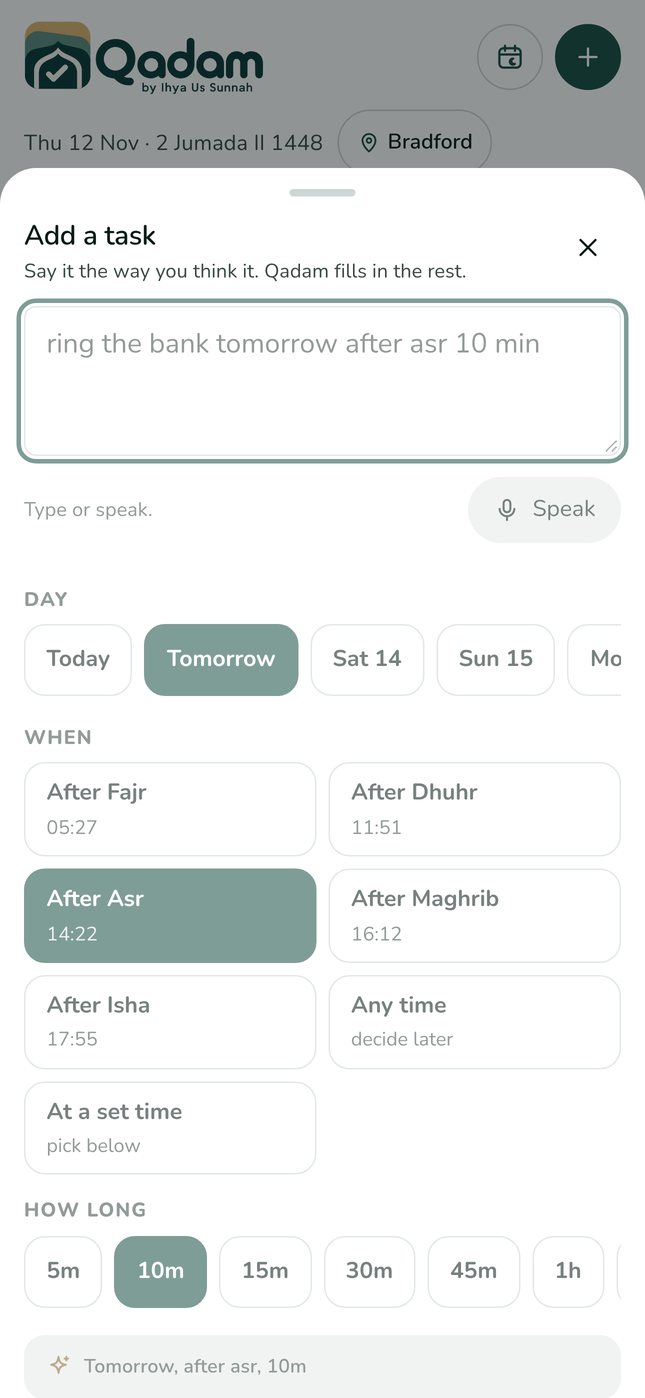
Things it understands
- call mum tonight becomes after Isha, today
- weekly shop saturday after dhuhr 1 hour
- renew the car insurance on friday
- read surah al kahf jummah becomes Friday, after Dhuhr
- dentist at 3:30pm tomorrow
If you open Add details and set things yourself, Qadam uses your choices instead.
Sort for me
In Dump, write or speak everything on your mind, one thought per line, then tap Add to inbox. A new Sort for me button reads each line and suggests a day, a prayer window and a length. Untick anything you want to leave in the inbox, then tap Add to my days.
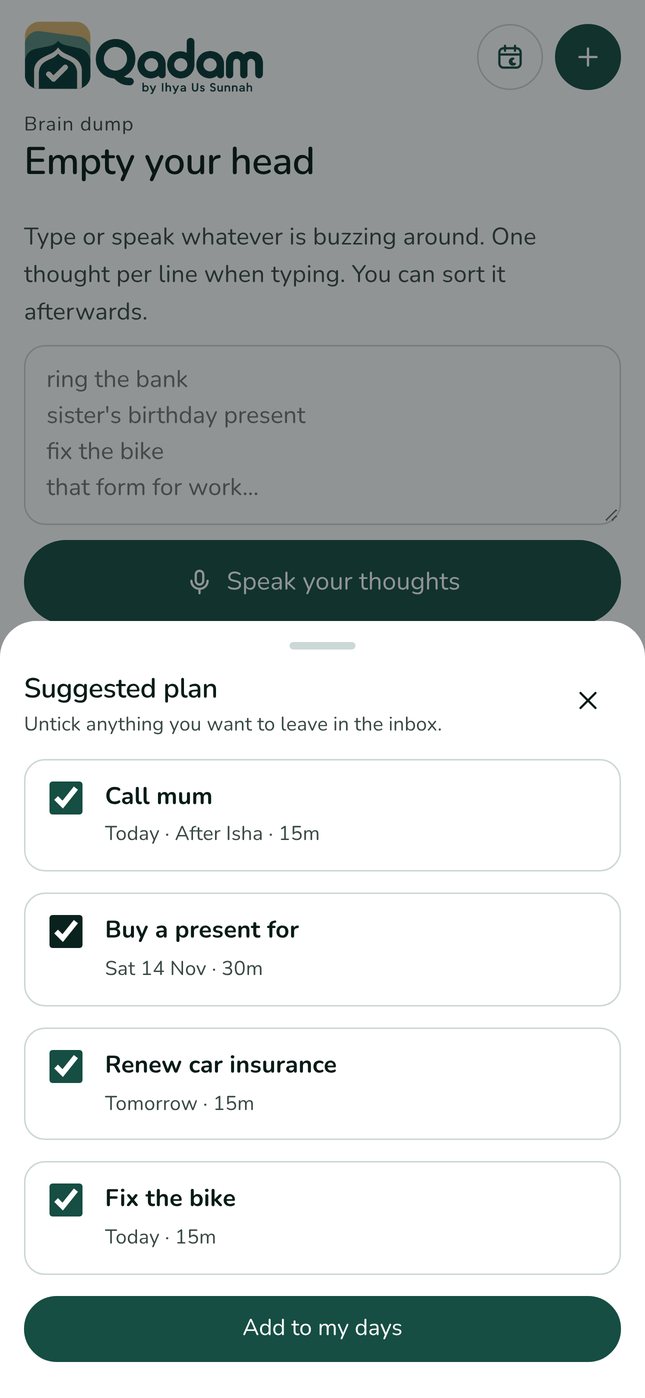
Private by design
Smart add and Sort for me work entirely on your device. Nothing you write is sent to a server to be understood. Suggestions are always suggestions: you stay in charge of your day.
Try it today.
Qadam 1.1 is live on the web now and on its way to the App Store and Google Play. Your tasks, routines and prayer records carry straight over. Android users can use the web app now; the Android app is coming soon.
Download on the App Store ↗ Use the web app