
Qadam 1.1
Plan your week by prayer
Most calendars ask what time it is. A Muslim day is usually planned around a different question: which prayer is it near? The new week view in Qadam is built around that question.
A grid of prayer windows
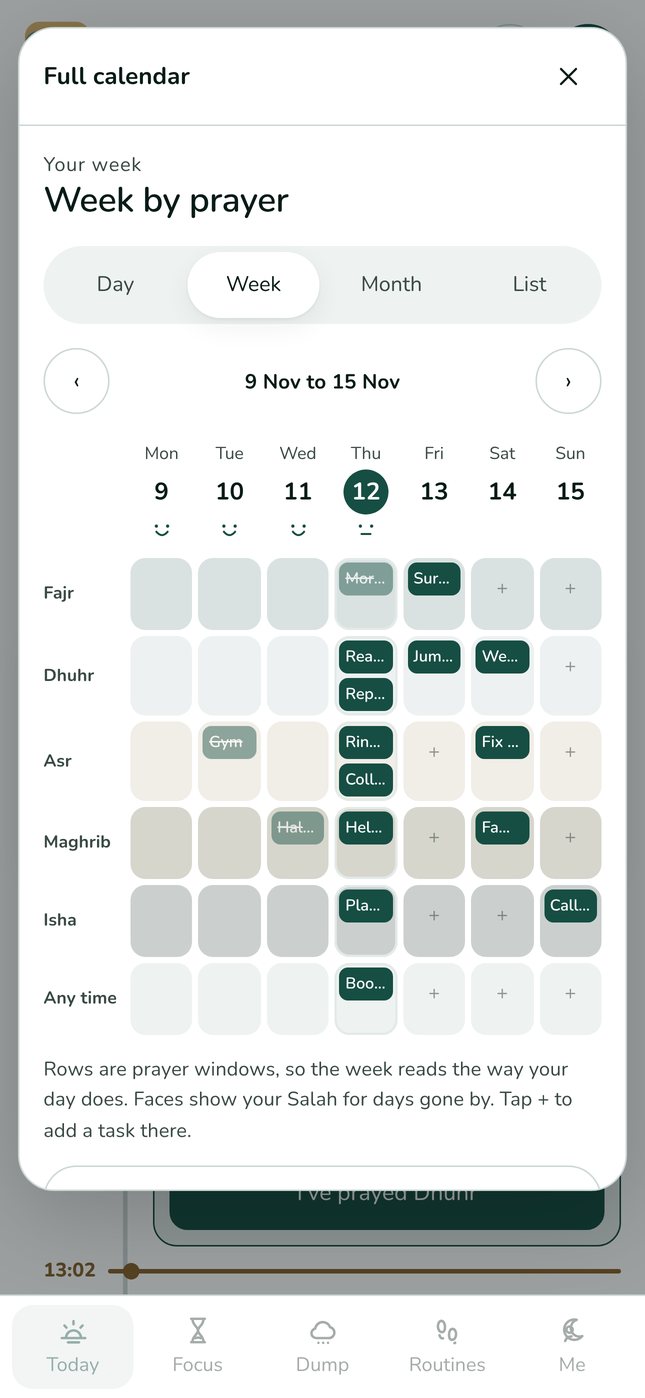
Open the calendar from the calendar button at the top of Today, then choose Week. Rows are prayer windows, from after Fajr to after Isha, plus any time. Columns are the days. Each task appears in the window it belongs to, so a full afternoon or an empty evening is easy to see.
Add a task in the right place
Tap the plus in any empty cell to add a task there. Qadam fills in the day and the prayer window for you, so planning after Asr on Tuesday takes one tap and a few words.
Your salah, gently
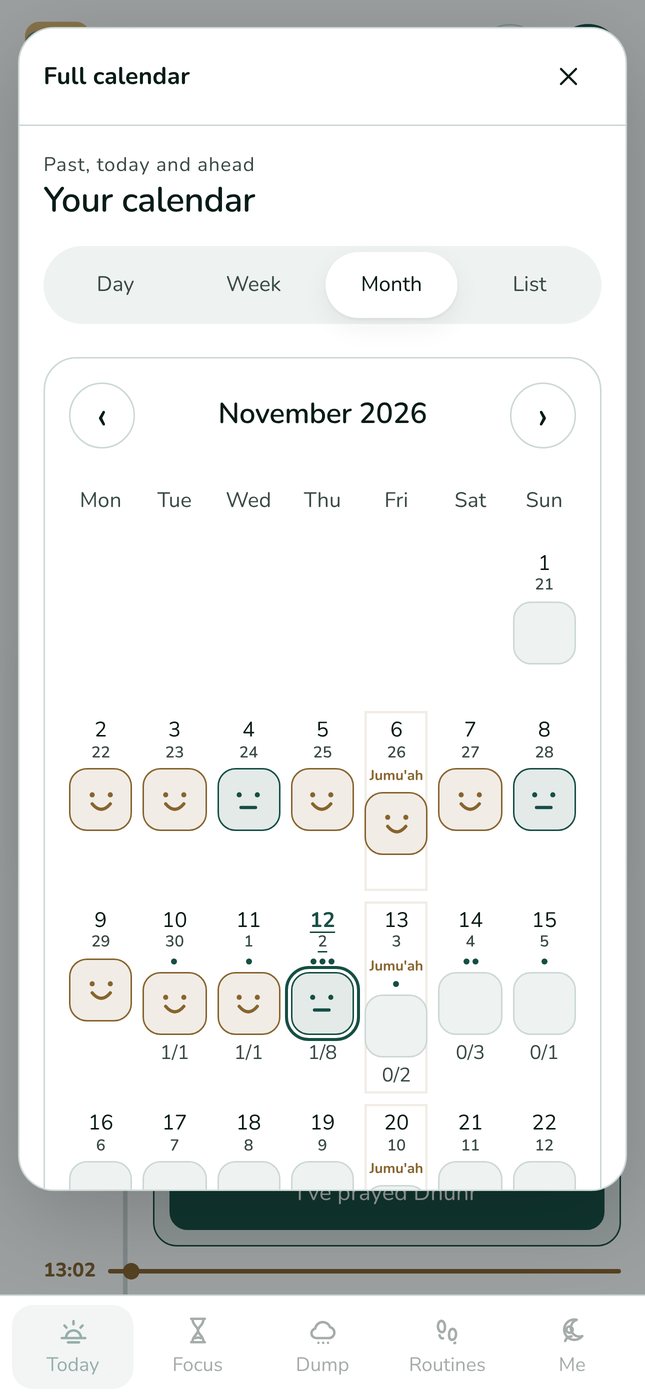
Above each past day you will see the same gentle faces as the monthly calendar: a smile for five recorded prayers, a straight line for some. They are there to encourage, never to judge. Missed days reset nothing.
A realistic week
Try this on a Sunday evening: look at the week by prayer, put your fixed commitments in first, leave Jumu'ah clear, then choose one or two things for each day. If a window already looks full, move something to a lighter day rather than squeezing it in.
Try it today.
Qadam 1.1 is live on the web now and on its way to the App Store and Google Play. Your tasks, routines and prayer records carry straight over. Android users can use the web app now; the Android app is coming soon.
Download on the App Store ↗ Use the web app